Platform
The whole desk.
One window.
Charts, orders, depth and the calendar, designed together and streaming in real time.
Charting
Every timeframe. Every tool.
TradingView Advanced Charts, with drawing tools, indicators and multiple timeframes, built into the terminal rather than bolted on beside it.
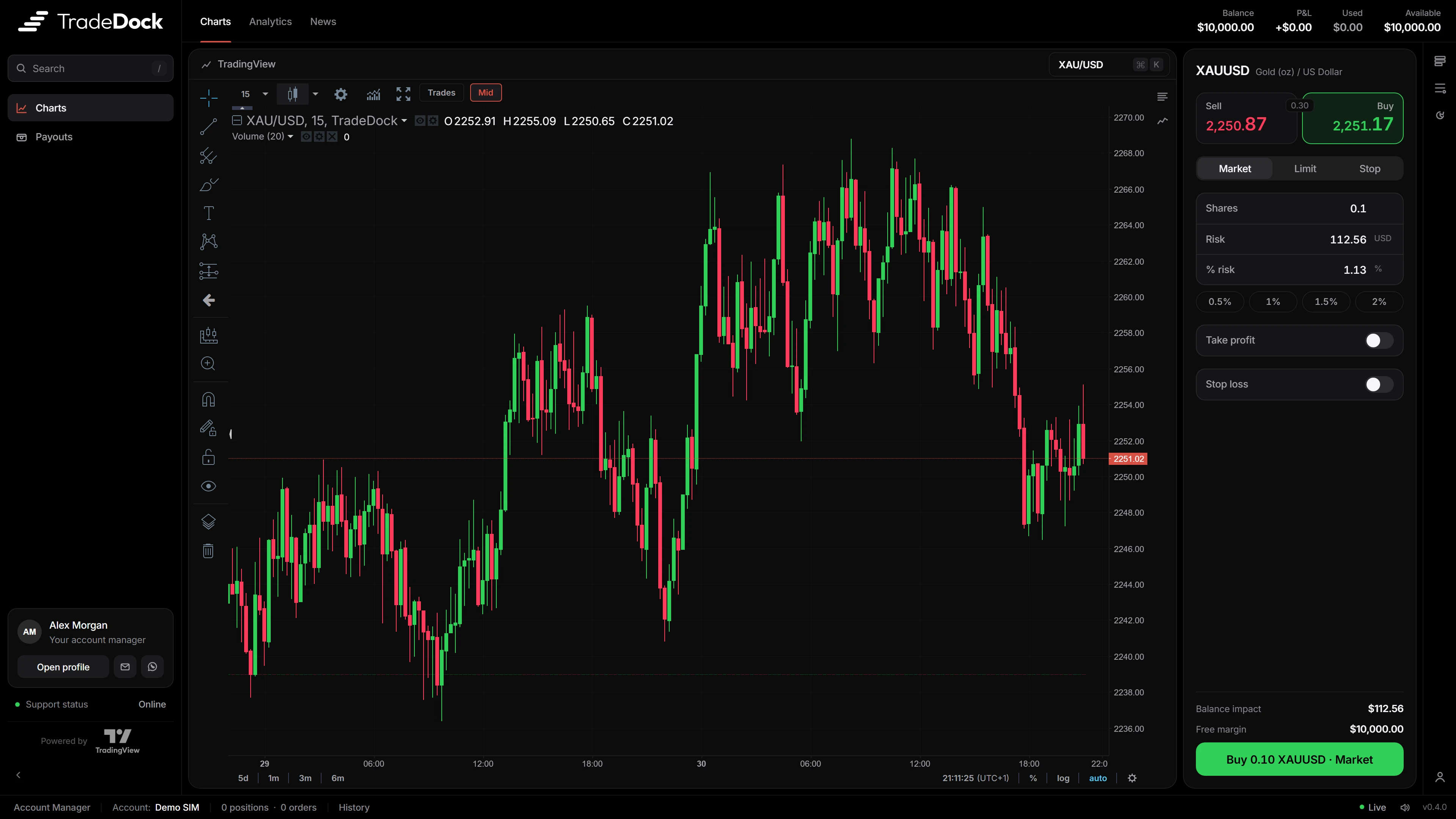
Charts powered by TradingView.
Order ticket
Risk first. Then the trade.
Every order starts with how much you are prepared to lose. The ticket does the arithmetic and shows the result before you commit.
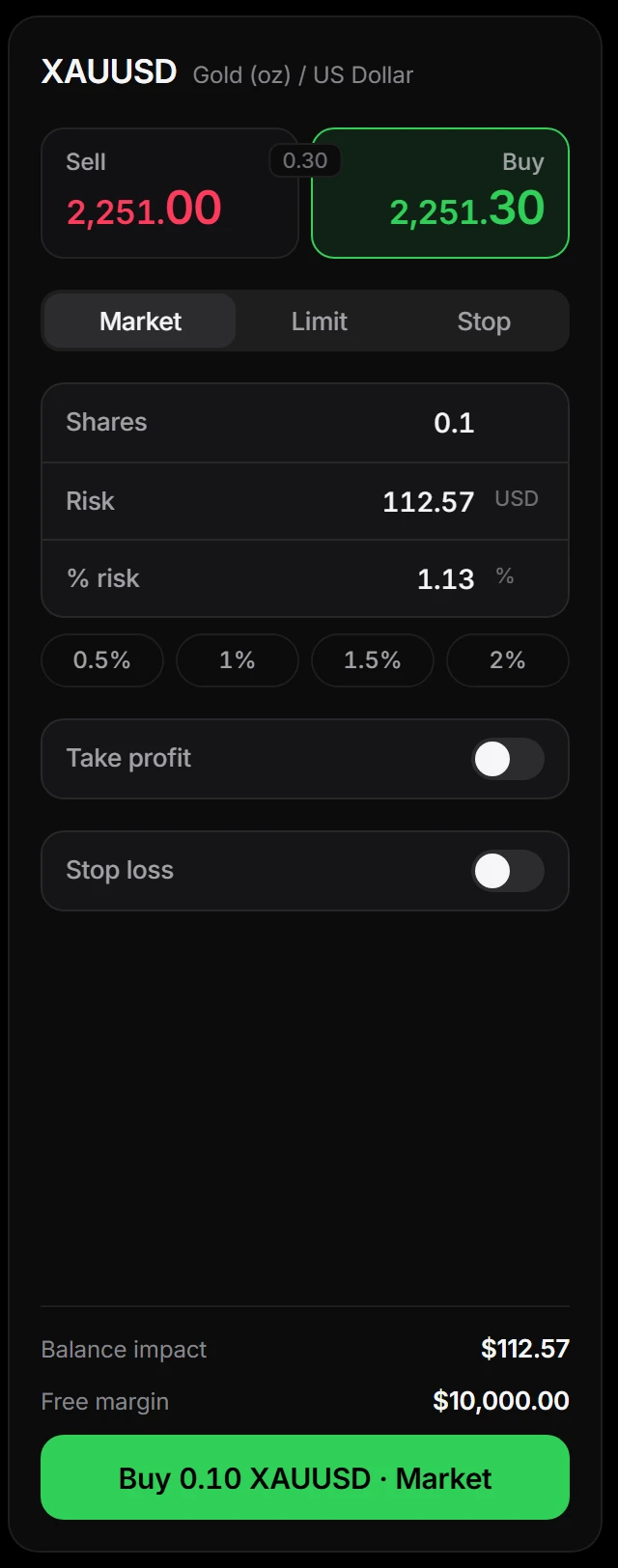
Sell. Spread. Buy.
Both sides of the quote, live.
Market, limit or stop
Three order types, one ticket.
Size by risk
Units, cash risk or percent of balance.
Risk presets
0.5, 1, 1.5 and 2 percent in a tap.
Take profit and stop loss
In ticks, price, profit or R:R.
Before you commit
Balance impact and free margin.
Order book and tape
Depth you can touch.
A live level 2 book with depth bars. Click a level to fill it. The tape beside it prints every trade as it happens.
- Live L2 depth
- Bids and asks with depth bars that move with the market.
- Click to fill
- Pick a level on the ladder and the ticket follows.
- Live tape
- Every print, in order, as it happens.
Calendar and news
Know what is coming.
The economic calendar lives inside the terminal, so traders never leave it to check the next release.
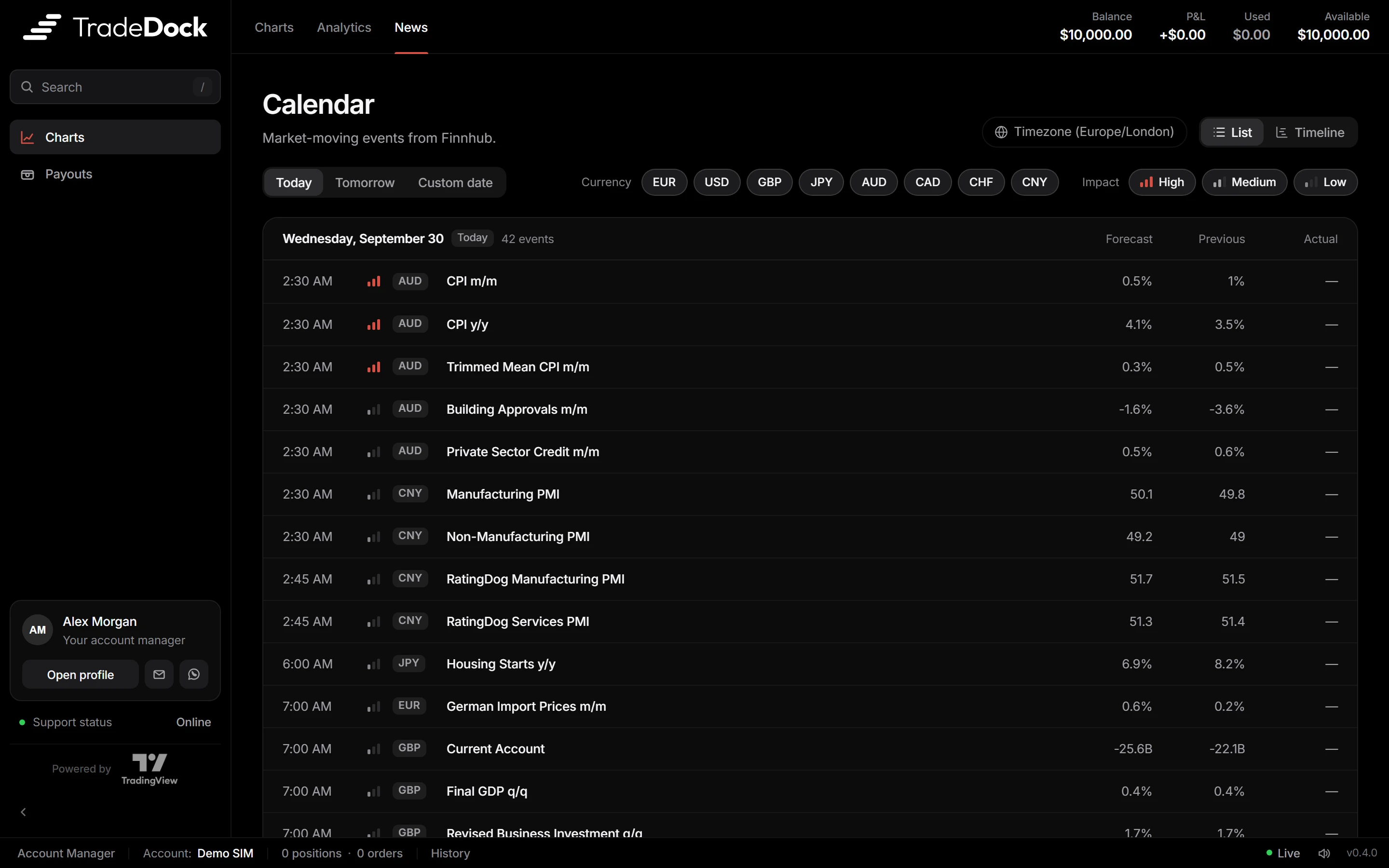
- Impact filters
- High, medium and low, so the noise stays out.
- Currency filters
- EUR, USD, GBP, JPY, AUD, CAD, CHF and CNY.
- List or timeline
- Two views of the same day.
Workspace
Everything where you left it.
Resizable panels that persist between sessions, a command palette for every instrument, and sound cues for what just happened.
- ⌘K palette
- Type a symbol, jump straight to it.
- Persistent layouts
- Resize once. It stays that way.
- Sound cues
- Hear fills without looking away from the chart.
Desktop
A window of its own.
A dedicated app for Windows and macOS, for traders who keep the terminal open all day.
- Windows and macOS
- One app for both desks.
- Real-time streaming
- WebSocket prices with reconnect and resync.
- Always up to date
- The app updates itself, so every trader is on the latest version.
iPhone
The terminal, pocket-sized.
The TradeDock app for iPhone, with the chart, the buy and sell bar, orders and the calendar a thumb away. Traders pick their firm’s server and sign in with their account number.
- Sign in like MT5
- Server, account number, password. Saved accounts to switch between.
- Face ID and alerts
- Locked with Face ID. Push alerts on fills, breaches and targets.
- Your brand
- Your logo and colours the moment a trader signs in.
See it with your name on it.
Book a demo and we will walk you through the terminal, the desk and what it takes to launch under your brand.